We've come a long way in a short time when it comes to electronics and digital literacy. Every classroom it seems has a flock of iPads or tablets available to students. Those with various learning disabilities are now enabled through the use of software programs that convert voice to text, text to voice, use word prediction to aid spelling and grammar, and graphic organizers to help students organize their ideas. This helps students who are bogged down with mechanics to comprehend, convey and organize their ideas. These are positive uses of technology that encourage students to gain skills so they can complete assignments independently. They are enablers.
Online resources including courses such as Coursera, Open University and tutorials such as Khan Academy, have been valuable supplements to students. The sheer volume of excellent resources available online is staggering.
On the flip side, I have seen classrooms taken over by the latest and greatest technology in less positive ways. In the name of "digital literacy", students are given time to work with various gadgets, games and software packages for the sole purpose of learning how they work. It doesn't take long to learn that not all online learning opportunities are worth the time and money spent.

I fear that often in the name of technology, important developmentally appropriate experiences are lost. If there is a hands-on way to involve students in the same topic, this should take priority over additional screen time as should any active learning opportunity which involves all of the senses and actually physically "doing" and manipulating things, particularly with younger students. Multi-sensory experiences allow students to take in information in a variety of ways and experiment in concrete ways not possible using computers or devices. Tactile information at the very least is lost when finger-painting is replaced with "less messy" painting apps or drawing programs.
Some teachers feel pressure to try and compete with the frenetic pace and stimulation of popular media. However, a place of learning often required calmness and a feeling of safety that is quite different from that kind of stimulation.
Exploration is an excellent teacher, this is true, but we need to ask ourselves some questions before we devote large amounts of time and money to such activities
- Is this an open-ended or closed activity? Exploring with MIT's Scratch programming is open-ended; solving quests such as Oregon Trail, Carmen Sandiego are closed as there is a single solution and students must follow a single path; there may be a good case for occasionally using a closed game, but for the most part, students will have more learning opportunities with open-ended options?
- Are there assigned or agreed upon specific challenges to students in using the technology?
- Is there a way for students to share their discoveries in a meaningful way with other class members?
- Can any of these goals be met through non-electronic means? Is there a compelling reason why this learning should happen through the use of electronics? Learning to type and tweaking a computer program are activities best done on a computer; using math manipulatives and painting a picture work better with hands-on tactile feedback.
- Is there a clear set of learning objectives or goals for the time your students spend with technology?
- Is this the most efficient and logical way for the students to work on the topic?
- Does this lesson involve higher-order thinking? Many "educational" games are simply more drill, but with animated characters & sound bytes. This might appeal to some students, but spending large amounts of time on such activities is generally not time well spent.
- Have you discussed online citizenship prior to online work?
- Are there clear rules and guidelines for use of personal devices in your school and classroom?
- Have you discussed how to determine the validity of online sources when research is involved?
- How does the quality of understanding as well as the finished product compare with that taught without electronics--is the Power Point or Prezi project as detailed and comprehensive as the traditional project booklet, the billboard-styled project or the dramatic presentation?
- Is this technology likely to carry on through the student's academic and later life? Spending an hour trying to get a game to work might not be time well-spent; whereas spending an hour teaching a disabled student how to work with Dragon (voice to text) software may carry through for many years
- Excessive use of graphics, particularly moving graphics, can be visually distracting to some students and may make it difficult for them to focus on the task at hand--is the program or app too "busy" and full of non-essential information to serve some or all of the students involved?
- Do your expectations include the use of computers, internet resources and/or personal devices outside of the school setting? Many students do not have ready access to these and must travel to a library, which is not always a reasonable expectation on the part of teachers due to varying home circumstances. This is important to keep in mind when grading assignments as well.
- For administrators and trustees: is this the best way to spend educational funds? Each case should be examined independently and free from corporate influences. While the presence of electronics in the classroom may appear impressive to parents, it is important that educators communicate the current state of developmental research to parents when such decisions are made. Corporations have the advantage here.
- In general: is this the best way to go about helping students achieve the specific learning outcomes for this topic?
There has long been a bias of some teachers to assign higher marks to projects that involved electronics in some way than those that didn't. This puts some students, particularly those without home access to devices and the internet, at an unfair disadvantage. Being clear regarding expecttions in your rubric or marking scheme ahead of time and remaining firm with those requirements may help reduce such bias.
In general, if we remember treat electronics as tools rather than the end in and of itself (except perhaps for programming, learning about the structure of the internet, media studies and learning about the specific electronics involved), the use of technology will be an aid rather than a distraction for learning. Otherwise, it can become a barrier to learning in terms of both classroom time, and in making the best use of limited educational funding.
Balance is important. In some homes, students are given free reign with screen time and may not get much time to be outdoors exploring, or doing other hands-on activities. Many students can name hundreds of brand-names and less than a dozen native species. In school, at least, there should be an attempt to encourage students to develop as well-rounded individuals. Replacing crucial activities such as arts and outdoor education with more screen time can create bad habits for life. When balance is encouraged, students may learn positive, healthy habits that carry through the rest of their lives.


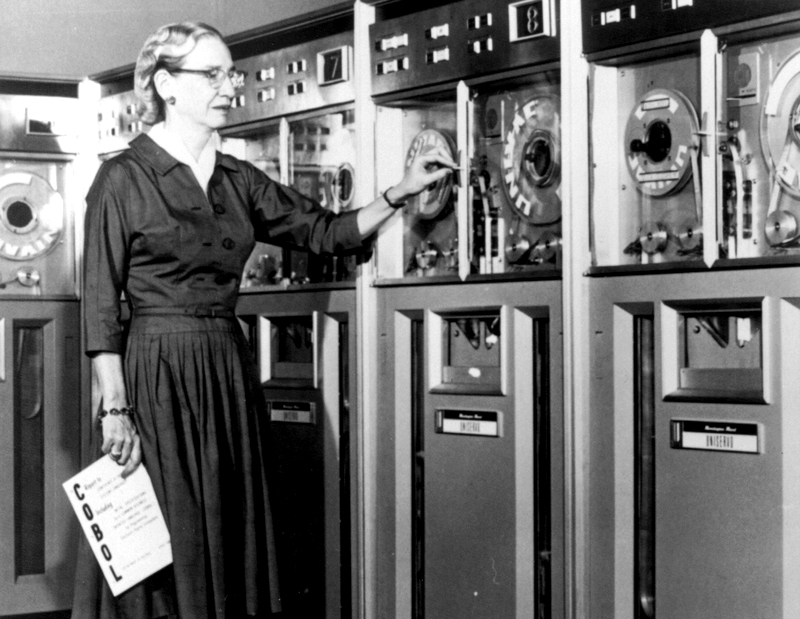
 Much of modern coding was made possible by the early work of various female pioneers in the field. Grace Hopper create the first compiler, for example, which allowed binary input to be converted into a programming language.


